


Q. How to visit friend's home ?
A. There are actually 3 different ways to visit friend's or other homes / rooms..
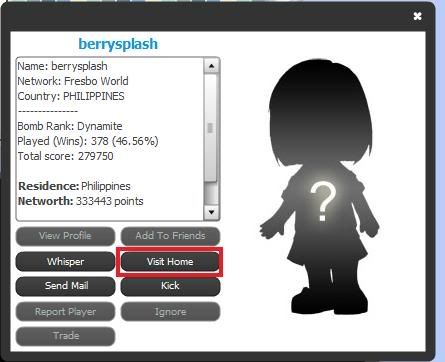
A1. Visiting Friends or others room / home by clicking Player's Star
1. Click the Star of the Player you want to visit
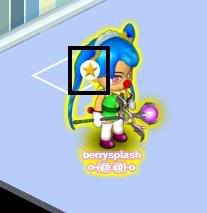
2. A Box will Appear, Choose an Option ( Click Visit Home )
B1. Visiting Friend's Home by using the Social Button
Note: Before you visit , the player or your friend you want to visit must be added on your social friend List =)
[ Mini Instruction ] How to Add Friend?:
1. Click the Social Button
2. Click the Add Friend Button
3. Then Input the exact name of your friend =)
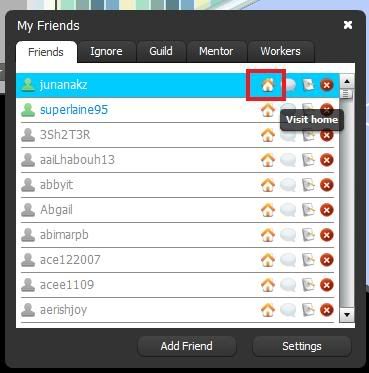
B1. Visiting you friend's room / home using the Social Button
1. Click the Social Button

2. Click the Visit Home Button of your Friend [ Button Icon : Yellow House ]
C.1 Searching Room Names / Room Owner
1. Click World Map
2. Click Home

Then a Navigator will Show

3. Click on Search Tab
4. Then Put the Room Name / Room Owner on the Search Box :)
Taddaa!! Rate up your friend's room :) So she / he will rate your room too :)
Credits to: oOberryOo / Berrysplash :]



No comments:
Post a Comment